I’ve spent a little time with Caffe over the holiday break to try and understand how it might work in the context of real-time visualization/object recognition in more natural scenes/videos. Right now, I’ve implemented the following Deep Convolution Networks using the 1280×720 resolution webcamera on my 2014 Macbook Pro:
- VGG ILSVRC 2014 (16 Layers): 1000 ImageNet Object Categories (~ 7 FPS)
- VGG ILSVRC 2014 (19 Layers): 1000 Object Categories (~5 FPS)
- BVLC GoogLeNet: 1000 Object Categories (~ 24 FPS)
- Region-CNN ILSVRC 2013: 200 Object Categories (~ 22 FPS)
- BVLC Reference CaffeNet: 1000 Object Categories (~ 18 FPS)
- BVLC Reference CaffeNet (Fully Convolutional) 8×8: 1000 Object Categories (~12 FPS)
- BVLC Reference CaffeNet (Fully Convolutional) 34×17: 1000 Object Categories (~1 FPS)
- MIT Places-CNN Hybrid (Places + ImageNet): 971 Object Categories + 200 Scene Categories = 1171 Categories (~ 12 FPS)
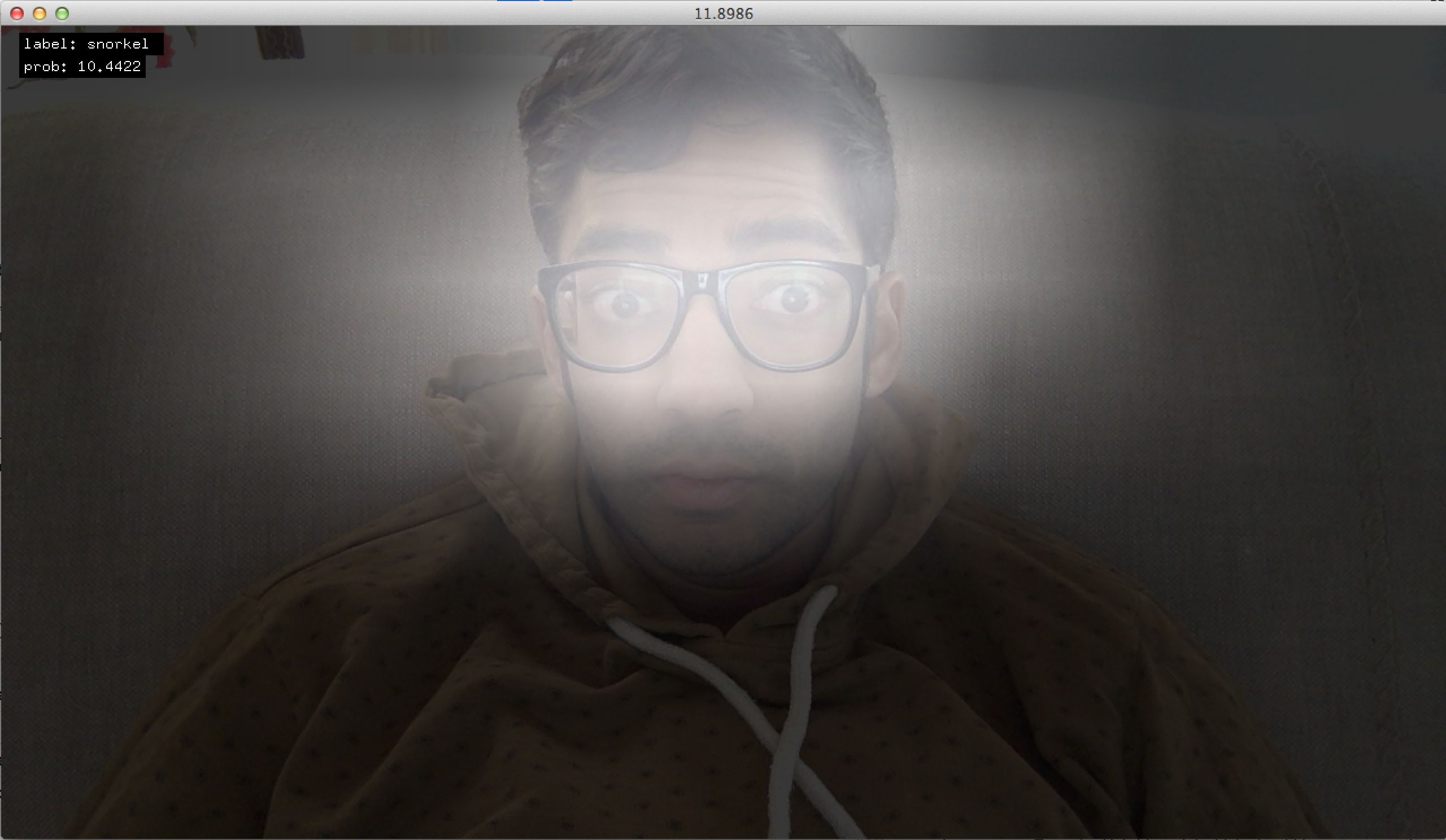
The above image depicts the output from an 8×8 grid detection showing brighter regions as higher probabilities of the class “snorkel” (automatically selected by the network from 1000 possible classes as the highest probability).
So far I have spent some time understanding how Caffe keeps each layer’s data during a forward/backward pass, and how the deeper layers could be “visualized” in a … Continue reading...